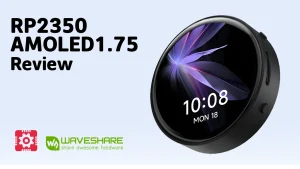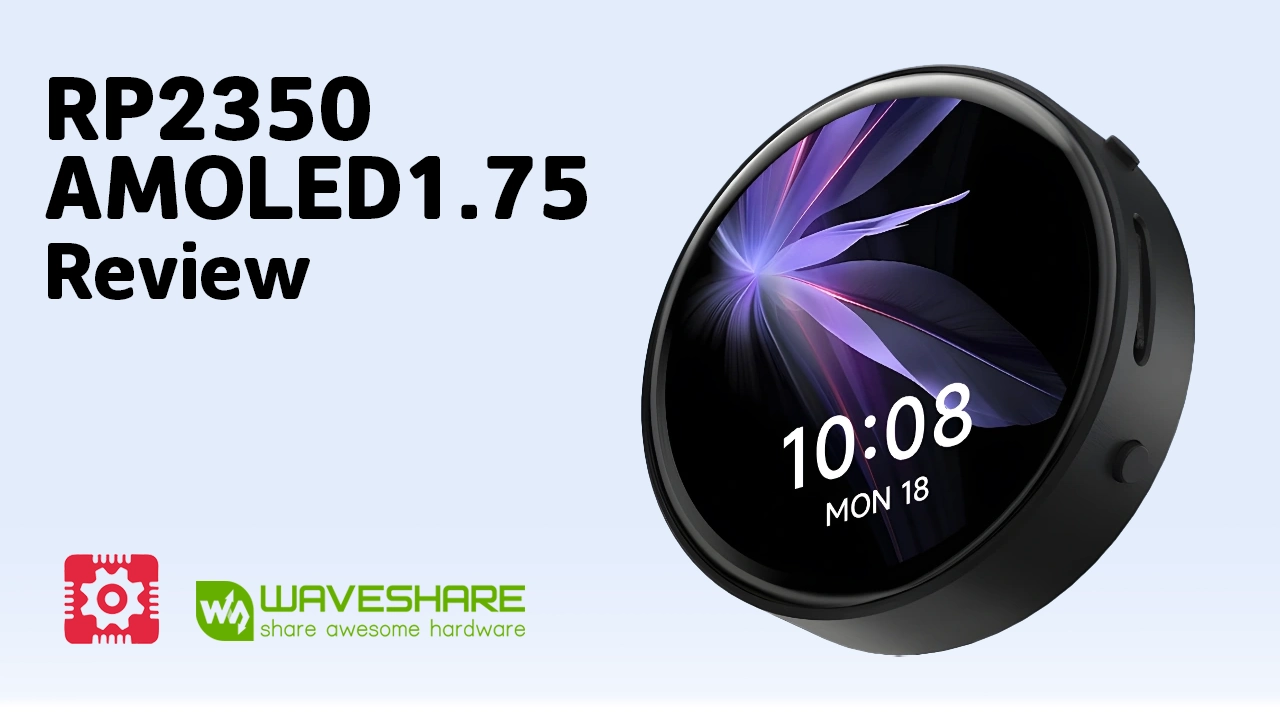
As embedded graphical interfaces become more common in portable electronics, developers increasingly need compact hardware that combines processing power, a responsive touchscreen, and efficient power management. The Waveshare RP2350 AMOLED Development Board was designed with exactly these requirements in mind. This AMOLED Board is among the first compact development platforms built around the new Raspberry Pi RP2350A microcontroller.
Designed for developers who need both processing power and an integrated graphical interface, it combines a 1.75-inch round AMOLED touchscreen, onboard sensors, audio hardware, and efficient power management into a single, ready-to-use solution.
Unlike traditional microcontroller projects that require separate display modules, touch controllers, and multiple expansion boards, this Waveshare RP2350 Touch Board integrates the essential hardware into a compact PCB. This not only reduces wiring complexity but also speeds up prototyping for embedded user interfaces, portable devices, industrial control panels, and IoT applications.
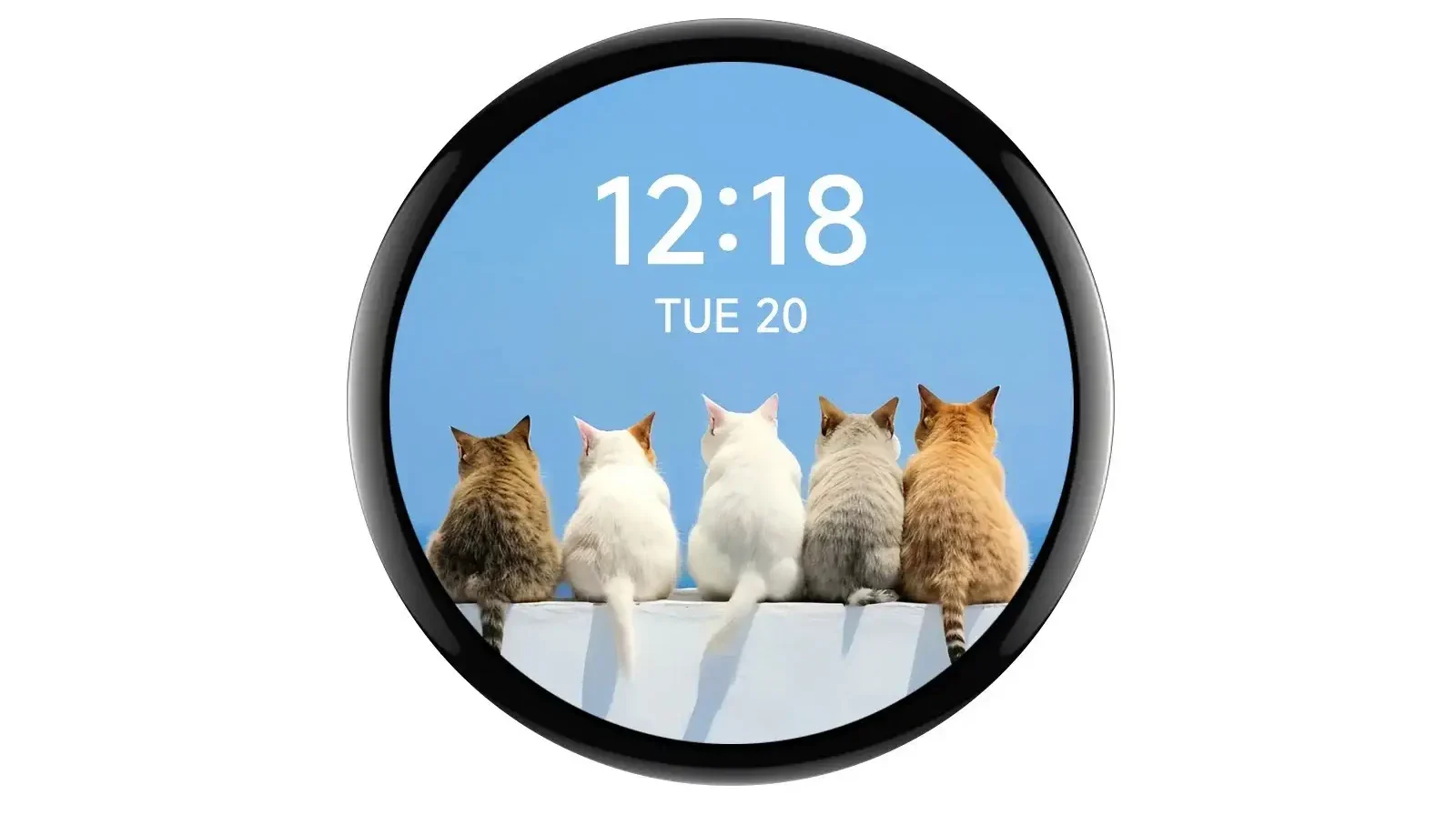
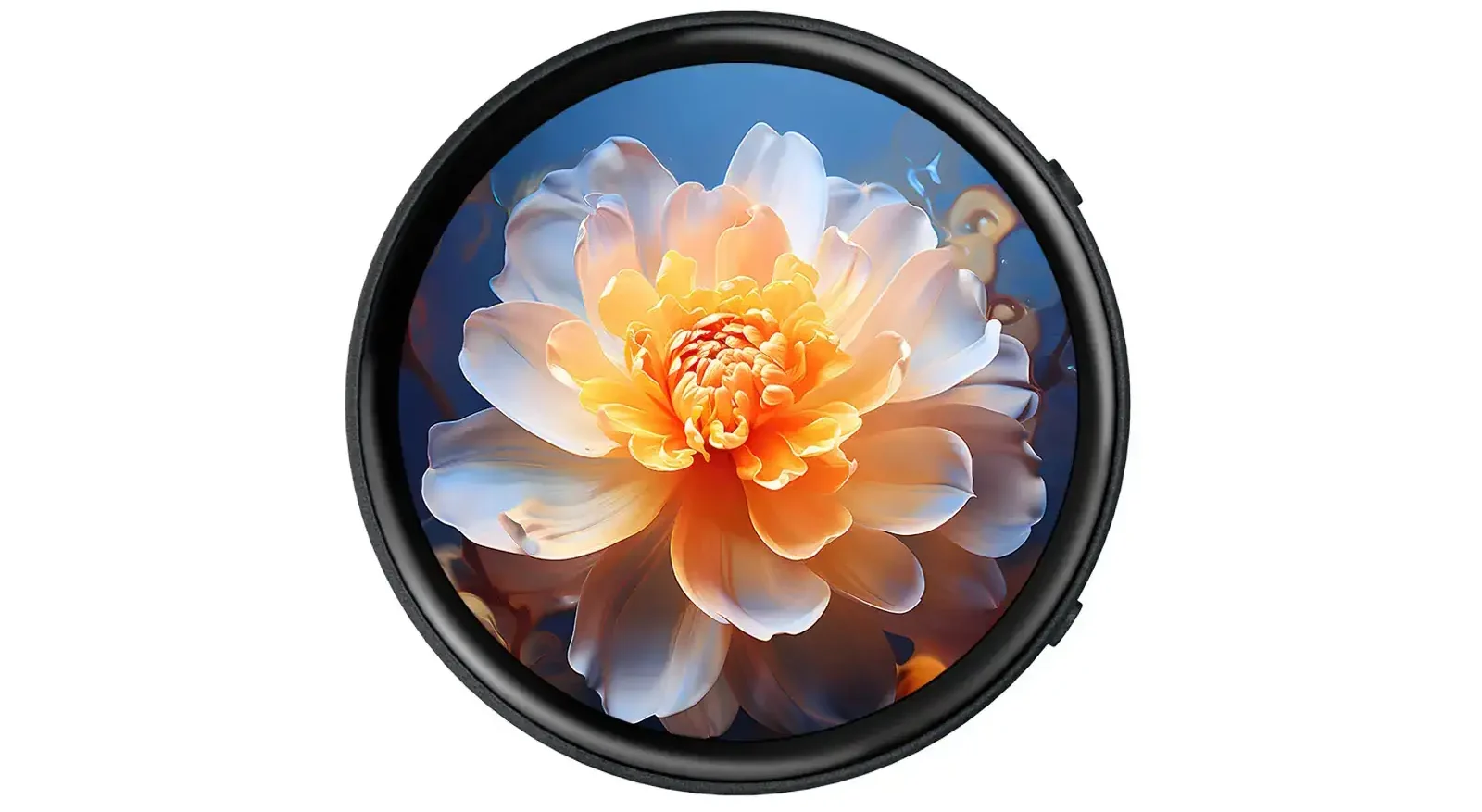
One of the board’s most attractive features is its RP2350 Touch Display, which delivers vivid colours, deep contrast, and responsive capacitive touch input. Thanks to the circular AMOLED panel, the board is also well suited for modern graphical interfaces that resemble smartwatch or handheld device designs. Developers building dashboards, portable instruments, or custom wearable electronics will appreciate the balance between performance and compact size.
To accommodate different project requirements, Waveshare offers three hardware variants. Besides the standard model, there is a Battery Edition designed for portable systems and a GPS Edition that integrates GNSS functionality for location-aware applications. This flexibility allows the RP2350 1.75 AMOLED platform to support everything from educational prototypes to commercial embedded products.
As the Raspberry Pi RP2350 ecosystem continues to mature, the board has attracted growing interest from the embedded community, particularly among developers experimenting with RP2350 LVGL AMOLED interfaces. Its combination of a high-quality display, modern microcontroller architecture, and broad software compatibility makes it an excellent platform for building responsive graphical applications without the complexity of Linux-based single-board computers.
RP2350 AMOLED Versions
The RP2350 AMOLED Development Board is available in three hardware versions. All models share the same RP2350A processor, memory configuration, 1.75-inch AMOLED touchscreen, and primary peripherals. The differences are mainly related to power management and positioning capabilities, allowing developers to select the version that best matches their application.
| Version | Main Difference | Recommended For |
|---|---|---|
| RP2350-Touch-AMOLED-1.75 | Standard version | General embedded development, HMIs, smart displays |
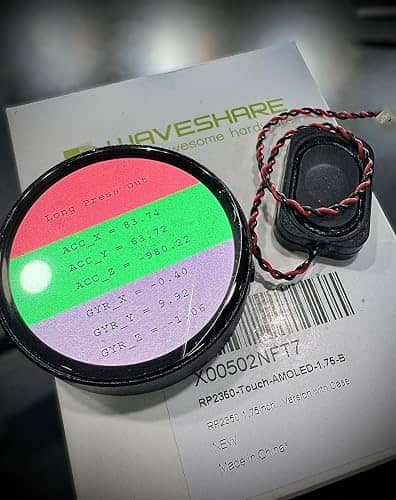
| RP2350-Touch-AMOLED-1.75-B | Integrated battery charging and power management | Portable and battery-powered devices |
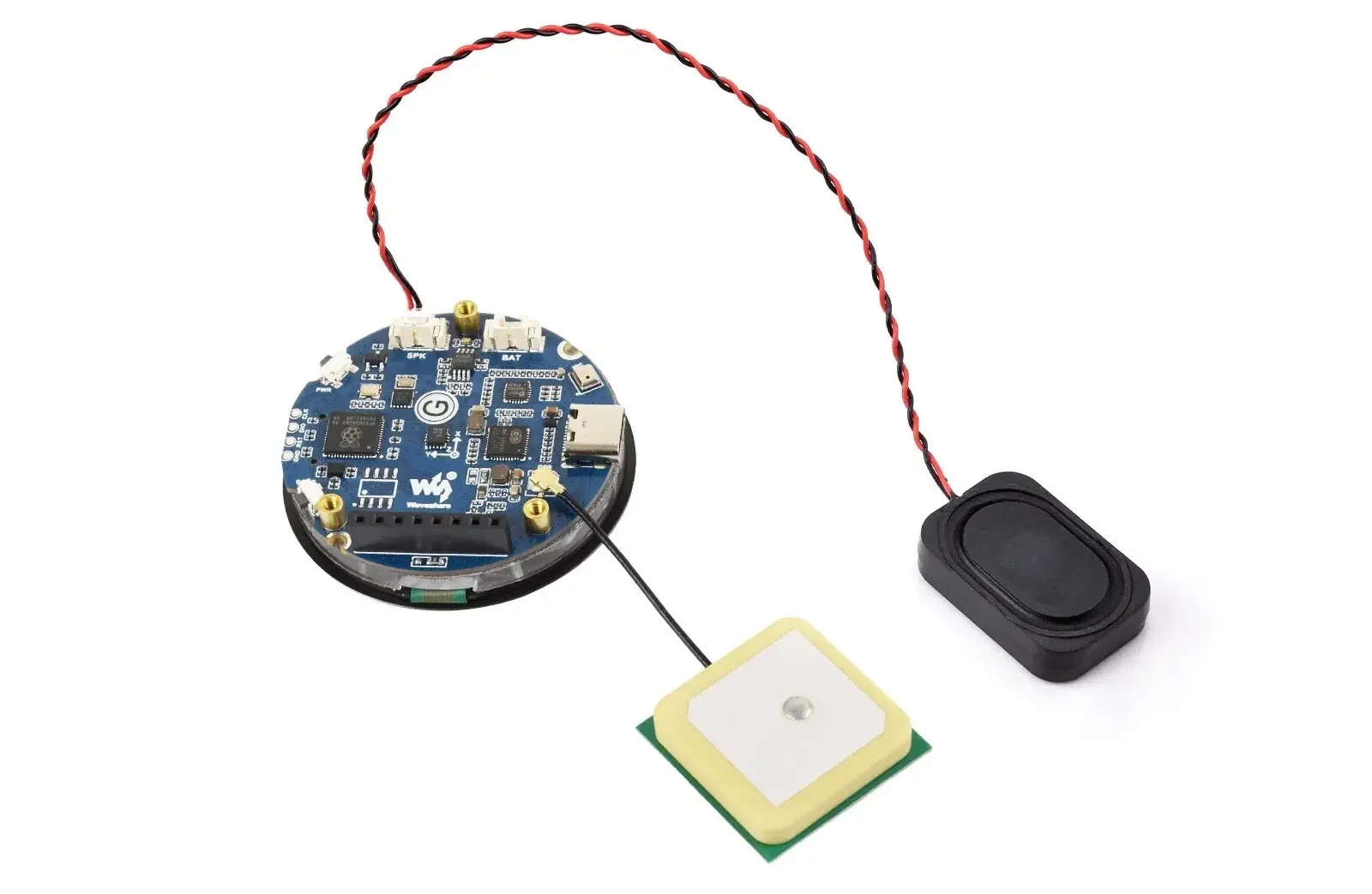
| RP2350-Touch-AMOLED-1.75-G | Built-in LC76G GNSS module with ceramic antenna | Navigation, tracking, and outdoor IoT applications |
Standard Version
The standard version provides everything required for general embedded development. It includes the RP2350A microcontroller, the circular AMOLED touchscreen, USB Type-C connectivity, 16 MB QSPI Flash, and GPIO expansion headers. For projects involving graphical interfaces, industrial HMIs, smart home control panels, or education, this version offers the most straightforward starting point.
Battery Version (B)
The Battery Edition integrates battery charging circuitry and power management based on the AXP2101 PMIC, allowing a single-cell Li-ion or Li-Po battery to be connected directly. This makes the board an excellent RP2350 Wearable Board for portable instruments, handheld devices, and battery-operated IoT products where compact size and low power consumption are important considerations.
GPS Version (G)
The GPS Edition adds an onboard LC76G GNSS receiver with support for GPS and BeiDou positioning. It is intended for applications that require real-time location data, including asset tracking, outdoor monitoring systems, navigation devices, and portable data loggers.
💡 Among the three versions, developers interested in building a Raspberry Pi RP2350 smart watch DIY project typically prefer the Battery Edition because it combines the round AMOLED display with integrated battery management, significantly simplifying hardware design.
RP2350A Microcontroller Features
At the heart of the RP2350 AMOLED Development Board is the Raspberry Pi RP2350A, the next-generation microcontroller designed as the successor to the popular RP2040. While maintaining the simplicity that made the RP2040 successful, the new chip introduces a more capable architecture, additional security features, and improved processing flexibility for modern embedded applications.
One of its most notable improvements is the dual-architecture CPU design. Developers can build firmware for either two Arm Cortex-M33 cores or two open-source Hazard3 RISC-V cores, depending on the software toolchain and project requirements. Only one architecture is active at a time, but this flexibility allows engineers to explore both Arm and RISC-V development without changing hardware.
Running at frequencies of up to 150 MHz, the RP2350A delivers enough computing power for responsive graphical user interfaces, real-time sensor processing, communication protocols, and multimedia control. When paired with the board’s RP2350 Touch Display, it provides a smooth user experience for applications that require interactive menus, animations, or touchscreen controls.
The microcontroller also includes 520 KB of SRAM, 16 MB of onboard QSPI Flash, and support for external PSRAM expansion. Compared with the RP2040, memory management and peripheral capabilities have been expanded, making the platform more suitable for sophisticated embedded software and graphics-intensive projects.
Security has also received significant attention. Hardware-based security enhancements help developers create more reliable commercial products while improving firmware protection and secure boot capabilities.
Power management is handled by the onboard AXP2101 PMIC, which regulates system power across all models. On the Battery Edition, the same chip additionally manages lithium battery charging and monitoring, making it particularly useful for portable electronics and wearable applications.
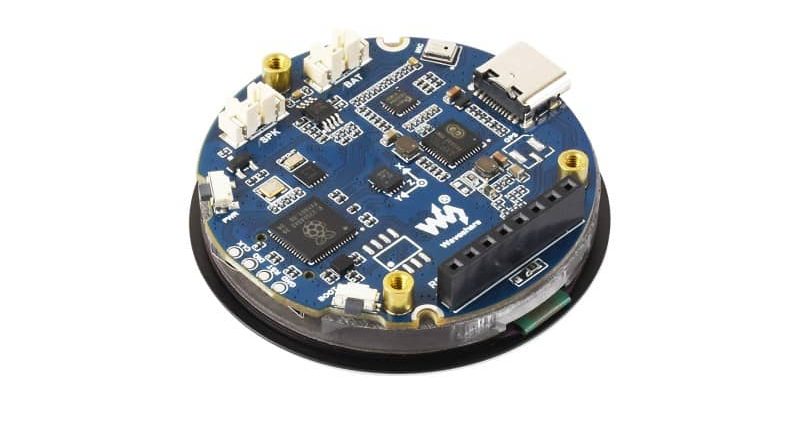
Key Hardware Features
One of the strongest aspects of the Waveshare RP2350 Touch Board is its high level of hardware integration. Instead of requiring multiple external modules, the board combines the processor, display, sensors, audio hardware, storage, and power management into a compact platform that is ready for application development immediately after programming.
Key onboard components include:
-
Raspberry Pi RP2350A dual-core microcontroller
-
1.75-inch round AMOLED capacitive touchscreen
-
16 MB onboard QSPI Flash memory
-
USB Type-C interface for programming and power
-
USB 1.1 Host and Device support
-
AXP2101 Power Management IC
-
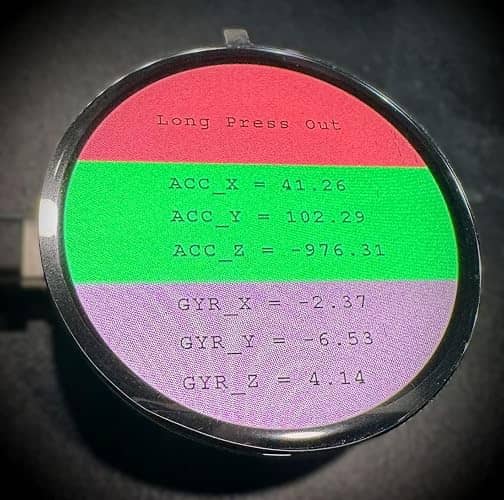
QMI8658 six-axis IMU (accelerometer and gyroscope)
-
PCF85063 Real-Time Clock (RTC)
-
ES8311 audio codec
-
Integrated MEMS microphone
-
External speaker connector
-
User, Boot, and Reset buttons
-
GPIO expansion headers
-
MicroSD (TF) card slot
The combination of these peripherals makes the Round AMOLED RP2350 platform suitable for significantly more than simple display projects. Motion sensing, audio processing, data logging, touch interaction, and real-time clock functionality are already available on the board.
For developers building modern graphical interfaces, the integrated circular display is one of the board’s defining features. Unlike traditional rectangular TFT/LCD modules, the RP2350 1.75 AMOLED display offers excellent contrast, wide viewing angles, and rich colours while maintaining relatively low power consumption for battery-operated devices.
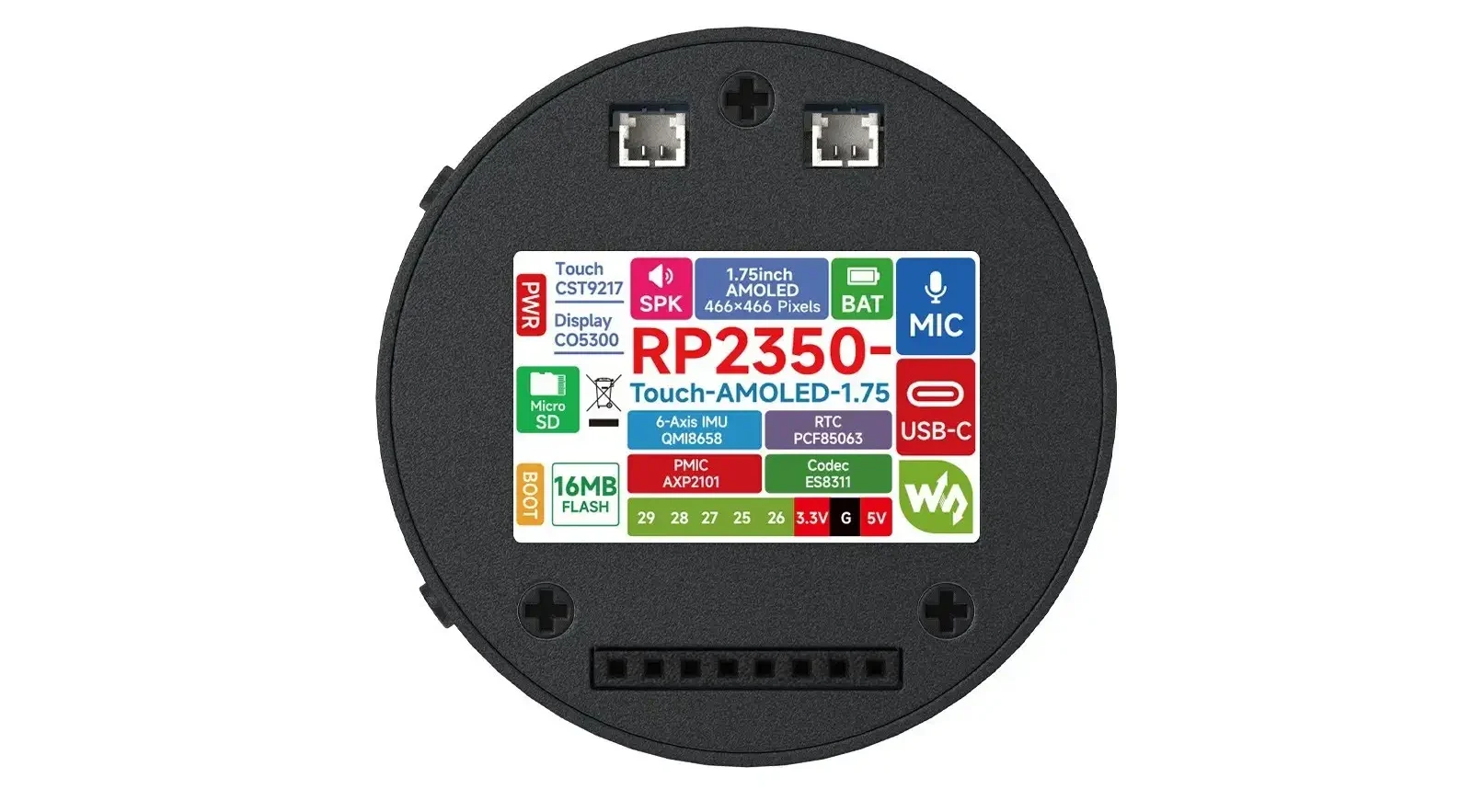
Technical Specifications
| Feature | Specification |
|---|---|
| Microcontroller | Raspberry Pi RP2350A (Dual-core Arm Cortex-M33 / Hazard3 RISC-V) |
| Clock Speed | Up to 150 MHz |
| Memory | 520 KB SRAM, 16 MB QSPI Flash, PSRAM expansion support |
| Display | 1.75-inch round AMOLED capacitive touchscreen |
| Resolution | 466 × 466 |
| Color Depth | 65K colors |
| Brightness | Up to 700 cd/m² |
| Contrast Ratio | 100,000:1 |
| Display Driver | CO5300 |
| Touch Controller | CST9217 |
| Power Management | X-Powers AXP2101 |
| Battery Support | Available on Battery version |
| Storage Expansion | MicroSD / TF card slot |
| IMU | QMI8658 (3-axis accelerometer + 3-axis gyroscope) |
| Temperature Sensor | Integrated |
| Audio | ES8311 codec, microphone, MX1.25 2P speaker connector |
| USB | USB 1.1 Type-C (Host & Device) |
| GNSS | Optional LC76G GPS/BeiDou module (GPS version) |
| GPIO | 5 multifunction GPIO pins |
| Interfaces | SPI, I²C, UART, PWM |
| Expansion | 2.54mm 8-pin header, PSRAM expansion pads |
Comparison: RP2350 vs ESP32-S3 & ESP32-P4 Boards
The Waveshare RP2350 1.75-inch AMOLED is frequently compared with similar-sized AMOLED boards based on ESP32-S3 and the newer ESP32-P4. Here’s a clear head-to-head comparison:
| Feature | Waveshare RP2350 1.75″ AMOLED | Waveshare ESP32-S3 AMOLED (1.8″/2.1″) | Waveshare ESP32-P4 AMOLED / Touch LCD |
|---|---|---|---|
| MCU | RP2350A (Dual-core ARM Cortex-M33 or Dual Hazard3 RISC-V) | ESP32-S3 (Dual Xtensa LX7) | ESP32-P4 (Dual RISC-V, up to 400MHz) |
| Clock Speed | Up to 150 MHz | Up to 240 MHz | Up to 400 MHz |
| Wireless Connectivity | None (requires external module) | Built-in Wi-Fi 4 + Bluetooth 5 | Wi-Fi 6 + Bluetooth 5 (in most models) |
| Display | 1.75″ Round AMOLED, 466×466, 65K colors | 1.8″–2.1″ Round AMOLED, similar quality | Larger options (3.4″+) with MIPI-DSI |
| RAM | 520 KB SRAM (+ PSRAM support) | 512 KB SRAM + up to 8MB PSRAM | Higher RAM + better graphics accel. |
| Power Management | Excellent (AXP2101) | Good | Very Good |
| LVGL / GUI Performance | Very Good | Excellent | Best (thanks to higher clock + PPA) |
| GPIO Pins | Limited | More available | Moderate to Good |
| Audio Support | Built-in codec + Mic/Speaker | Usually basic | Good |
| Best For | Low-power wearables, clean UI, battery projects | Wireless IoT, smart home dashboards | High-performance HMI, graphics-heavy apps |
| Price Range (approx. 2026) | Mid to High | Lower | Mid-High |
Key Takeaways Comparisons:
-
RP2350 vs ESP32-S3:
The RP2350 wins in power efficiency, display contrast/quality, and flexible architecture (you can choose ARM or RISC-V). However, ESP32-S3 is preferred when you need built-in Wi-Fi + Bluetooth without adding extra modules.
-
RP2350 vs ESP32-P4:
The ESP32-P4 is significantly faster and better for heavy graphics and AI tasks, but the RP2350 offers better battery life and a more compact round form factor. Many users choose RP2350 for wearable and portable projects, while P4 is chosen for more demanding dashboards and industrial HMIs.
Community Verdict : If your project prioritizes beautiful display + low power consumption, the RP2350 1.75″ AMOLED is one of the best choices in its size. If you need strong wireless out of the box or higher processing power, ESP32-S3 or ESP32-P4 variants are stronger competitors.
🔗 check our review of the Elecrow ESP32-P4 All-in-One Starter Kit.
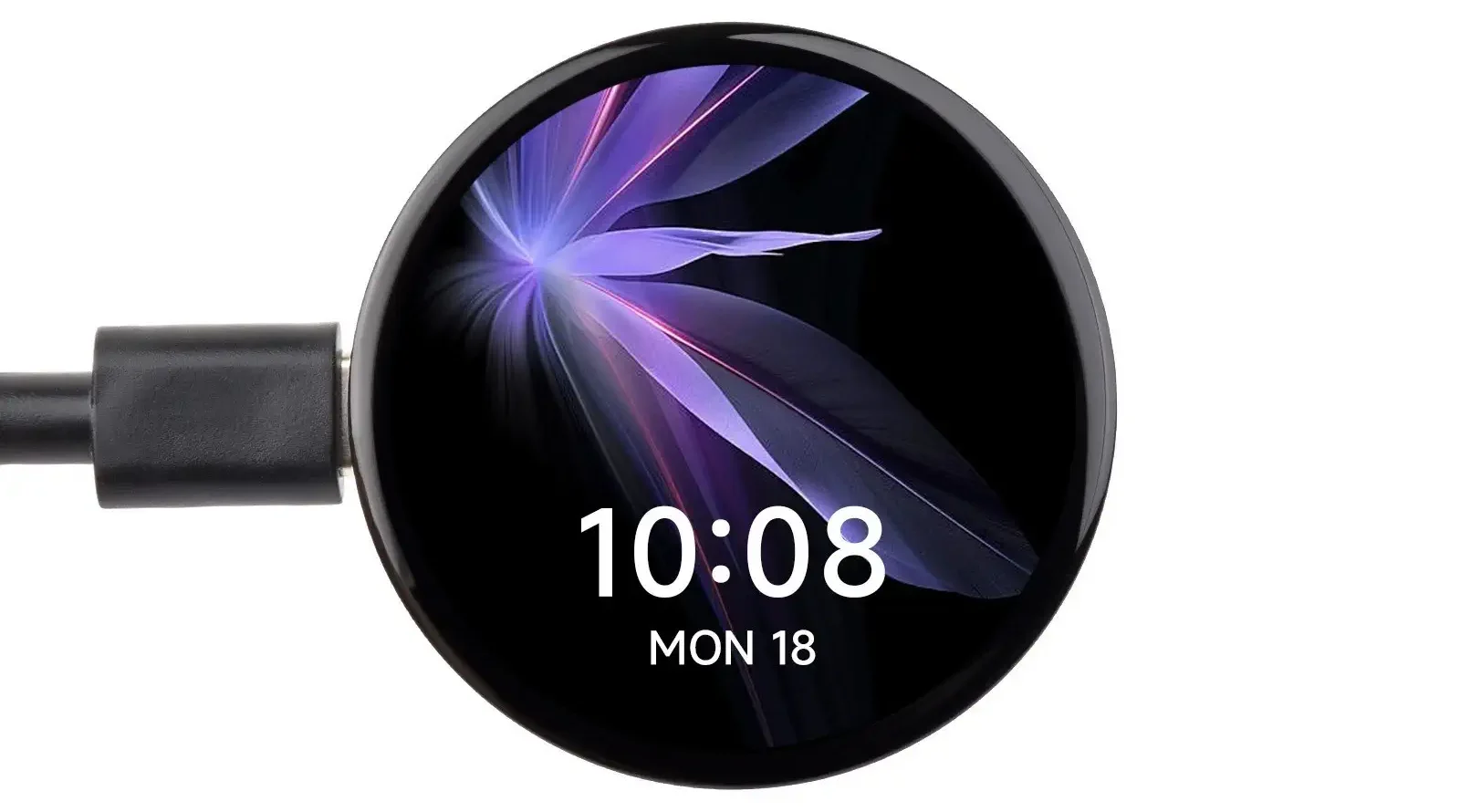
Applications of the RP2350 AMOLED Development Board
The RP2350 AMOLED Development Board is designed for far more than demonstration projects. Its combination of a powerful RP2350A microcontroller, high-resolution touchscreen, onboard sensors, and compact form factor makes it suitable for both rapid prototyping and commercial embedded products.
One of the most popular applications is wearable electronics. Thanks to its circular AMOLED display and compact PCB, the board is an excellent RP2350 Wearable Board for developing custom smartwatches, fitness trackers, portable medical devices, and other battery-powered products. Developers interested in Raspberry Pi RP2350 smart watch DIY projects can significantly reduce hardware complexity by using the Battery Version, which already includes battery charging and power management circuitry.
The integrated RP2350 Touch Display also makes the board an attractive choice for industrial Human-Machine Interfaces (HMIs). Engineers can build responsive touch panels for factory automation, laboratory equipment, or production monitoring systems without requiring an external display controller.
Another common use case is smart home automation. The vibrant RP2350 1.75 AMOLED display is well suited for wall-mounted control panels, lighting controllers, HVAC interfaces, and security systems where users benefit from an intuitive graphical interface.
Portable measurement instruments are another area where the board performs well. Engineers can combine the built-in IMU, RTC, touchscreen, and external storage to create handheld diagnostic tools, environmental monitoring devices, or portable data loggers with professional-looking user interfaces.
For IoT developers, the board provides a convenient platform for creating dashboards that display sensor information, machine status, or cloud-connected data. Although the RP2350A does not include built-in wireless connectivity, external Wi-Fi or Bluetooth modules can easily be added through the available communication interfaces.
The GPS Edition further expands the board’s capabilities by integrating an LC76G GNSS receiver. This version is particularly suitable for asset tracking, navigation devices, outdoor monitoring stations, vehicle telemetry, and portable mapping applications.
Because of its integrated peripherals and modern graphical display, the board is also widely applicable in educational environments, proof-of-concept prototypes, robotics control panels, consumer electronics development, and interactive demonstration systems.
🔗 For more inspiration on compact and portable IoT devices, see our review of the LilyGO T-Echo Plus.
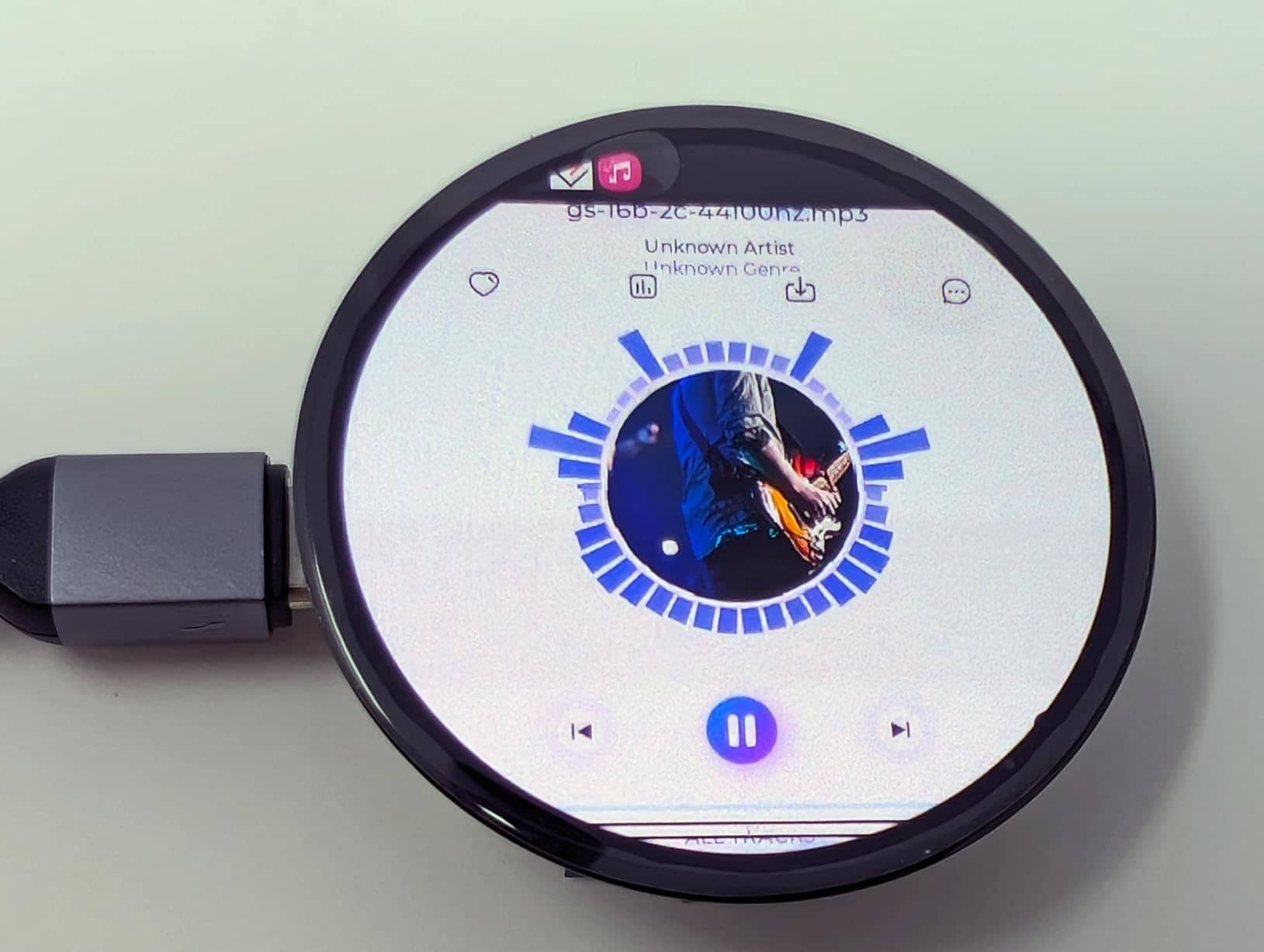
Programming Languages and Software Support
One of the major strengths of the Waveshare RP2350 Touch Board is its flexibility when choosing a software development environment. Whether developers prefer low-level firmware programming or rapid application development, the RP2350 ecosystem already supports several mature toolchains.
C/C++ (Pico SDK)
The official Raspberry Pi Pico SDK provides the highest level of hardware access and remains the preferred option for performance-critical applications. It allows developers to fully utilize the RP2350A’s peripherals while selecting either the Arm Cortex-M33 or Hazard3 RISC-V architecture during compilation.
This environment is particularly suitable for commercial firmware, real-time control systems, graphics-intensive applications, and custom hardware development.
Arduino IDE
Arduino support significantly lowers the learning curve for beginners while maintaining compatibility with thousands of existing Arduino libraries.
Developers can quickly prototype graphical applications, sensor interfaces, and communication protocols without dealing with low-level hardware initialization. This makes Arduino an excellent starting point for hobbyists, students, and engineers evaluating the RP2350 AMOLED Development Board for new projects.
MicroPython
MicroPython offers one of the fastest ways to begin experimenting with the RP2350 platform. Interactive programming, rapid testing, and simplified debugging make it especially attractive for education and proof-of-concept development.
Although advanced graphics applications generally achieve better performance with C++, MicroPython remains an excellent choice for learning embedded programming and validating hardware concepts.
📑 For examples and firmware, check out the official Waveshare RP2350 AMOLED GitHub Repository. and for complete onboard resources, interfaces, Features, and detailed guides for development methods, refer to the official Waveshare Documentation.
Supported Development Tools
The board is compatible with a wide range of professional and open-source development tools, allowing engineers to select the workflow that best matches their experience and project requirements.
Supported tools include:
-
Raspberry Pi Pico SDK
-
Arduino IDE
-
MicroPython
-
Visual Studio Code
-
CMake
-
Thonny IDE
-
UF2 Bootloader
Firmware can be uploaded using the familiar UF2 drag-and-drop mechanism, making software deployment straightforward even for beginners.
Developers building advanced graphical interfaces will also appreciate that this board works exceptionally well with LVGL (Light and Versatile Graphics Library). Thanks to the RP2350A’s improved processing capabilities and the high-resolution AMOLED display, the board serves as an excellent RP2350 LVGL GUI Development Board for creating responsive dashboards, touch-enabled control panels, industrial interfaces, and modern embedded user experiences.
As community support continues to grow, more developers are choosing the platform for RP2350 LVGL AMOLED projects because it combines smooth graphics performance with a compact hardware design and an increasingly mature software ecosystem.
Power Management and Development Tips
The RP2350 AMOLED Development Board is designed to simplify embedded GUI development, but following a few best practices can improve both performance and power efficiency.
Because AMOLED technology allows each pixel to emit its own light, interfaces that use dark backgrounds generally consume less power than bright themes. This makes the board particularly suitable for portable products where battery life is an important consideration.
If you are developing a battery-powered device with the Battery Edition, enabling the RP2350 sleep modes and reducing display brightness whenever possible can noticeably extend operating time. Applications that continuously use the GPS receiver or audio subsystem should also implement appropriate power management strategies to avoid unnecessary energy consumption.
When building firmware with the Pico SDK, remember that the RP2350 supports both Arm Cortex-M33 and Hazard3 RISC-V architectures. The target architecture must be selected during compilation, and developers should ensure that any third-party libraries are compatible with the chosen toolchain.
Advantages and Limitations
Like any embedded platform, the Waveshare RP2350 Touch Board offers a balance of strengths and trade-offs. Understanding both can help developers choose the right hardware for their application.
Pros
-
Compact all-in-one hardware design with integrated touchscreen
-
High-quality 1.75-inch Round AMOLED RP2350 display with vivid colours and excellent contrast
-
Powerful RP2350A microcontroller supporting both Arm Cortex-M33 and Hazard3 RISC-V architectures
-
Support for C/C++, Arduino IDE, and MicroPython
-
Excellent compatibility with LVGL for modern graphical interfaces
-
Integrated IMU, RTC, audio codec, microphone, and expandable storage
-
Battery management available on the Battery Edition
-
Optional onboard GNSS receiver on the GPS Edition
-
Suitable for portable products, industrial HMIs, IoT dashboards, and embedded GUI development
Cons
-
Fewer GPIO pins than larger RP2350 development boards
-
No built-in Wi-Fi or Bluetooth connectivity
-
The RP2350 software ecosystem is still expanding
-
Some third-party libraries are still being optimized for the new platform
-
AMOLED panels may experience image retention if static content remains on the screen for extended periods
-
SWD debugging access is more limited than on traditional evaluation boards
Although these limitations are worth considering, they are relatively minor for the board’s intended purpose. Developers primarily looking for an integrated graphical development platform will likely find the advantages outweigh the drawbacks.
🖨️🧸 Looking for 3D printable cases? Check out this housing design available on Printables for GaggiMate!
Developer Experience and Community Feedback
Since its introduction, the RP2350 AMOLED Development Board has received positive feedback from the embedded development community. Many users have highlighted the excellent display quality, responsive touch performance, and impressive level of hardware integration.
Developers experimenting with RP2350 LVGL AMOLED projects have also reported encouraging results, particularly when using LovyanGFX together with LVGL to build responsive graphical user interfaces. As more open-source libraries become available, software support is expected to continue improving.
Community discussions also indicate growing interest in using the board for wearable electronics, handheld instruments, and custom dashboard projects. The availability of Battery and GPS variants makes the platform attractive for applications that would otherwise require several separate expansion modules.
Conclusion
The RP2350 AMOLED Development Board demonstrates how much functionality can now be integrated into a compact embedded platform. By combining the Raspberry Pi RP2350A microcontroller with a vibrant round AMOLED touchscreen, onboard sensors, audio hardware, and flexible power management, Waveshare has created a development board that is well suited to modern embedded user interface projects.
Whether you are designing an industrial HMI, an IoT dashboard, a portable measurement instrument, or a Raspberry Pi RP2350 smart watch DIY project, the board provides an excellent balance between processing capability, display quality, and hardware integration. Developers looking for an RP2350 Touch Display platform will also appreciate the availability of three hardware variants, allowing the same software platform to be used across multiple applications.
Support for C/C++, Arduino IDE, MicroPython, and LVGL further increases its flexibility. In particular, developers creating advanced graphical interfaces will find the board to be a capable RP2350 LVGL GUI Development Board, offering enough performance for responsive touch-based applications while remaining significantly simpler than Linux-based single-board computers.
Although the RP2350 ecosystem is still evolving, the hardware itself is already mature enough for many commercial prototypes and advanced hobby projects. For developers seeking a compact, modern, and highly integrated RP2350 1.75 AMOLED platform, this board represents one of the most compelling options currently available.
📽️ For a detailed hands-on review and real-world demonstration, watch thes good videos: The Waveshare RP2350 Touch 1.75 and RP2350 Meets AMOLED.
👉 Got a project in mind but missing the spark? Swing by the Siqma store and let our newest arrivals inspire your next creation.
Frequently Asked Questions (FAQ)
-
Is it good for battery-powered / wearable projects?
Yes, it performs very well in battery powered and wearable applications. The AXP2101 power management chip provides efficient battery charging and low-power modes. Combined with the AMOLED’s ability to turn off individual pixels, many users report decent battery life even with the display on. Its round shape and compact size, the board works very well as an RP2350 Wearable Board.
-
Does it support LVGL?
Yes. One of the board’s strongest features is its compatibility with LVGL (Light and Versatile Graphics Library). Developers building modern embedded interfaces frequently use it as an RP2350 LVGL GUI Development Board, combining LVGL with LovyanGFX or Waveshare’s Board Support Package to create responsive graphical applications.
-
Can I build a Raspberry Pi RP2350 smartwatch?
Yeah. Many developers are already experimenting with Raspberry Pi RP2350 smart watch DIY projects using this board. The round AMOLED display, compact size, capacitive touchscreen, onboard IMU, and Battery Edition significantly reduce the amount of additional hardware required.
-
Which display libraries support the AMOLED panel?
Because the display uses the CO5300 controller over a QSPI interface, common SPI display libraries such as TFT_eSPI are not directly compatible. Most developers use LovyanGFX or Waveshare’s Board Support Package (BSP). For advanced graphical interfaces, LovyanGFX combined with LVGL provides good performance.
-
Can I program the board with MicroPython?
Yes. However, full support for the CO5300 QSPI display typically requires a customized MicroPython firmware image or additional display drivers. For first-time users, Arduino or the Pico SDK generally provide a smoother development experience.
-
Does the RP2350 support CircuitPython?
Many RP2350 development boards are expected to support CircuitPython as the ecosystem continues to mature. Before starting a project, it’s a good idea to check whether your specific board already has an official CircuitPython build available.
-
Is the RP2350 significantly better than the RP2040?
The RP2350 builds on the success of the RP2040 by introducing architectural improvements, additional processing capabilities, and broader software support. While many existing RP2040 projects can still be completed successfully, the newer platform provides more headroom for graphics-intensive and multitasking applications.
-
Does the board have built-in Wi-Fi or Bluetooth?
No. The RP2350A does not include wireless connectivity. If Wi-Fi or Bluetooth is required, an external module such as an ESP32-C3, ESP32-C6, or another compatible wireless module can be connected through the available interfaces.
-
How to monitor battery status?
Battery information is managed through the onboard AXP2101 PMIC, which communicates over I2C. Battery voltage and charging status are accessed through the PMIC rather than the RP2350’s internal ADC, so an AXP2101-compatible library is required.
-
Does the GPS version perform well?
The GPS Version (G) integrates an LC76G GNSS module with support for GPS and BeiDou. It communicates through one of the RP2350 UART interfaces and works with standard NMEA parsing libraries such as TinyGPS++. Initial satellite acquisition may take several minutes during a cold start in outdoor conditions.
-
How to switch between the Arm Cortex-M33 and Hazard3 RISC-V cores?
The RP2350A supports both processor architectures, but only one can be used at a time. The target architecture is selected during compilation by configuring the appropriate toolchain or CMake settings in the Raspberry Pi Pico SDK.
-
Why is the touchscreen lagging or missing touch events?
The CST9217 touch controller communicates over I2C and supports interrupt-driven operation. Better responsiveness is usually achieved by using the hardware interrupt pin instead of continuous polling and configuring the I2C bus to 400 kHz (Fast Mode).
-
Does this board suffer from the RP2350 “E9” GPIO issue?
It depends on the RP2350 chip revision. Early A2 stepping devices include the Erratum E9 GPIO pull-down issue, while newer A4 stepping devices resolve it in hardware. For affected boards, external pull-down resistors are recommended instead of relying solely on weak internal pull-downs.
-
Why does the display remain white or blank after flashing firmware?
A blank display is usually caused by using an incorrect display driver, an incompatible firmware build, or improper display initialization. Starting with the official Waveshare examples is recommended before developing custom applications.
-
How to use LVGL with this board? Are there good examples?
LVGL works excellently on this board due to the powerful RP2350 and high-resolution display. Waveshare provides basic LVGL examples, and community members (e.g. DrJonEA on YouTube) have shared much better templates and demos. You can create smooth animations, nice dashboards, and modern UIs. Some users mention that the official examples need small modifications for best performance.