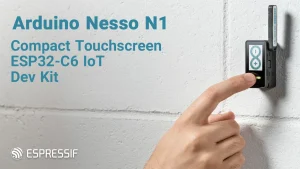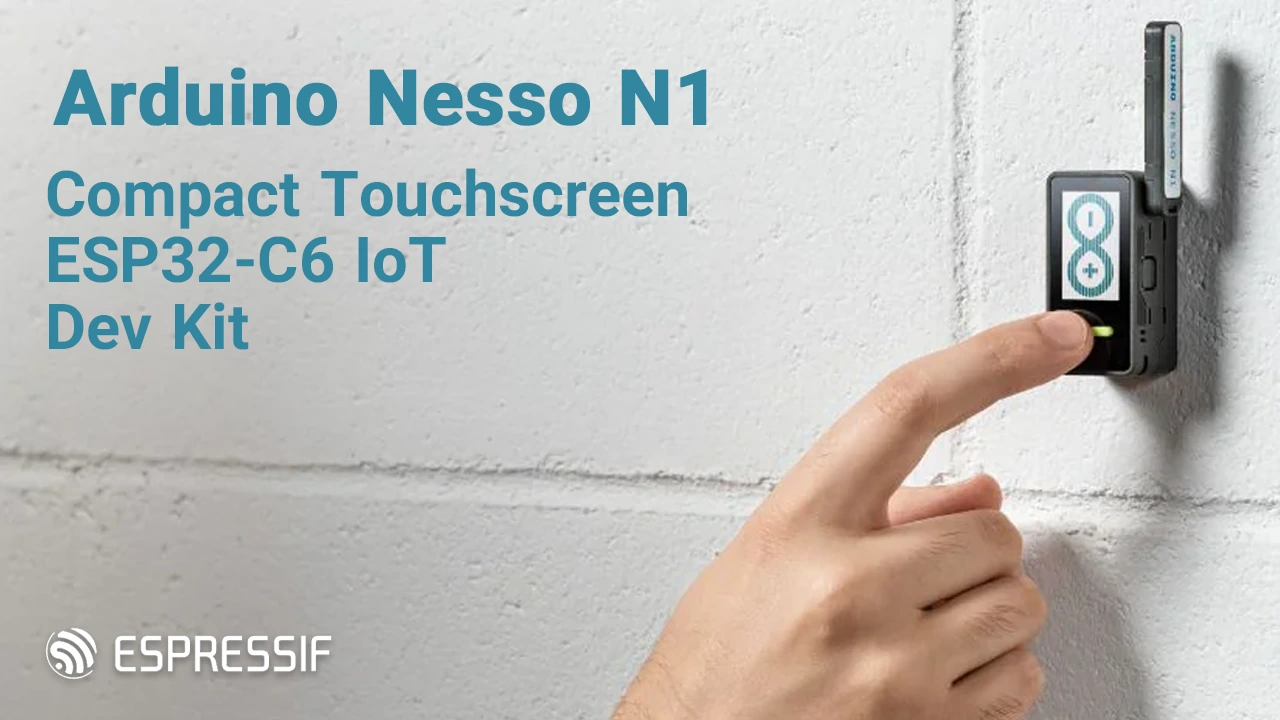
The Arduino Nesso N1 represents a significant advancement in IoT prototyping, offering a compact yet powerful all-in-one development kit that simplifies the creation of connected devices. Launched in late 2025 through a collaboration between Arduino and M5Stack, this palm-sized board is built around the efficient ESP32-C6 microcontroller, delivering high performance for smart applications ranging from home automation to industrial edge computing and remote monitoring.
Designed for makers, engineers, educators, and professional developers, the Nesso N1 comes pre-assembled in a durable enclosure with a built-in rechargeable battery, touchscreen display, integrated sensors, and flexible expansion interfaces—enabling users to start building innovative projects straight out of the box without complex setup. Its standout feature is comprehensive multi-protocol wireless connectivity, supporting Wi-Fi 6, Bluetooth 5.3, Thread/Zigbee, and LoRa, making it an exceptionally versatile platform for bridging modern smart ecosystems and accelerating rapid prototyping in diverse IoT scenarios.
Features and Capabilities of Nesso N1
The Arduino Nesso N1 packs an impressive array of advanced features into its remarkably compact design, it’s basically a full-on, ready-to-go IoT beast that’s awesome for quick prototyping or throwing into real projects without any hassle.
- Core Processing Power: Powered by the Espressif ESP32-C6 RISC-V 32-bit single-core SoC running at up to 160 MHz, with a low-power co-processor for efficient operations, 16 MB NOR Flash, and 512 KB SRAM—providing ample resources for demanding connected projects.
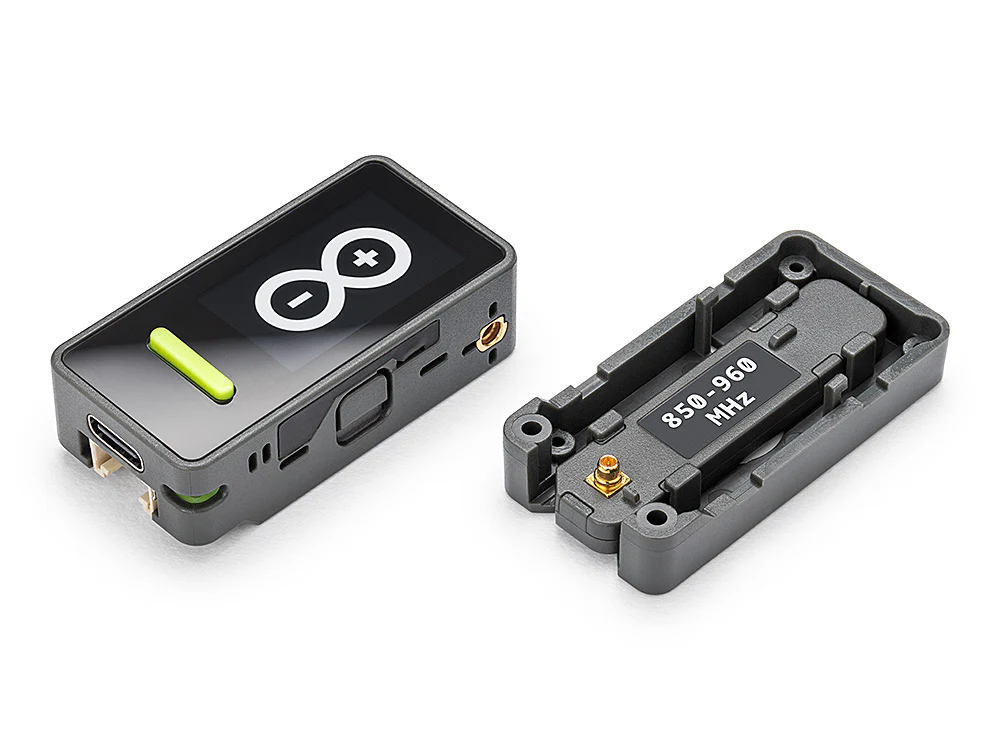
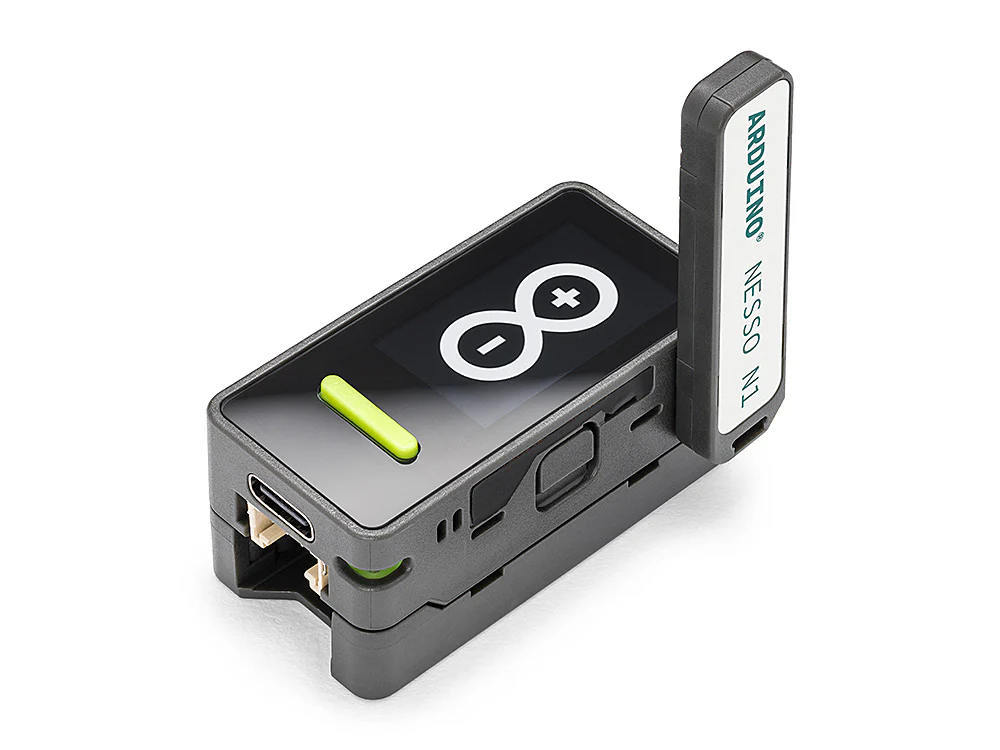
- Multi-Protocol Connectivity: Exceptional wireless versatility includes Wi-Fi® 6 (802.11ax) for high-speed, low-latency networking; Bluetooth® 5.3 LE for energy-efficient device pairing; 802.15.4 support enabling Thread, Zigbee 3.0, and Matter for robust mesh ecosystems; and LoRa® (850–960 MHz via SX1262 transceiver with rotatable, detachable antenna) for long-range, low-power communication in remote scenarios like agriculture or industrial monitoring.
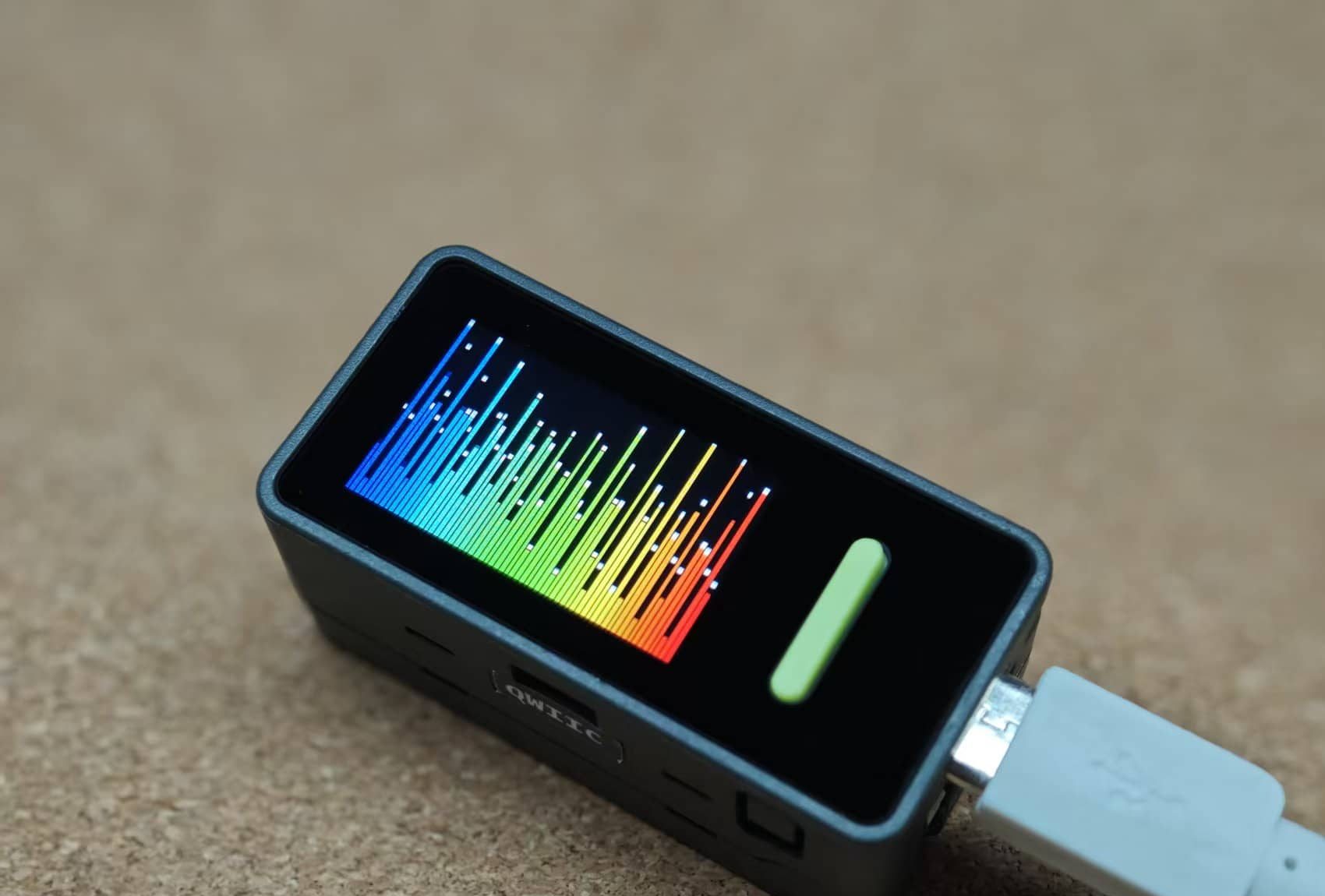
- Interactive User Interface: A vibrant 1.14-inch capacitive IPS touchscreen (135 x 240 resolution) enables intuitive dashboards and custom HMIs, complemented by two programmable buttons, an RGB LED for visual status indicators, a passive buzzer for audio alerts, and an infrared (IR) transmitter for seamless control of legacy appliances.
- Integrated Sensors and Feedback: Built-in 6-axis IMU (BMI270 accelerometer and gyroscope) supports motion detection, gesture control, and orientation tracking; a microphone adds voice interaction potential; while the buzzer, RGB LED, and IR features enhance smart notifications and device interoperability.
- Portability and Power Management: Equipped with a 250 mAh rechargeable LiPo battery and USB-C charging for truly mobile deployments, backed by intelligent power optimization for extended field use.
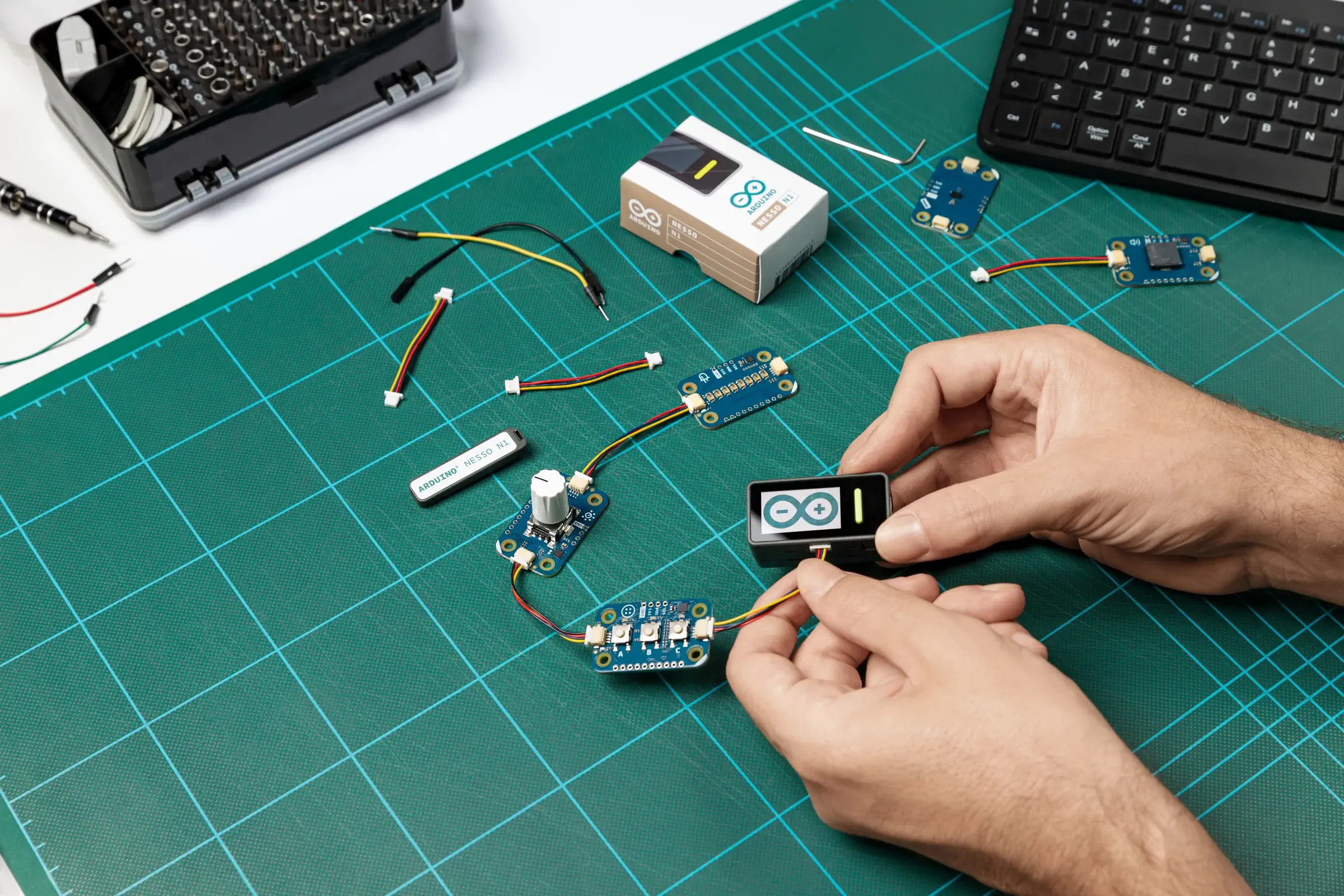
- Expansion Capabilities: Highly scalable with Grove and Qwiic connectors for plug-and-play integration of sensors, actuators, and third-party modules; plus M5Stack HAT-compatible interfaces to leverage the broader Arduino and M5Stack ecosystems for rapid project evolution.
Applications & Use Cases
Nesso N1’s powerful multi-protocol capabilities and ready-to-use design make it an ideal platform for a broad spectrum of innovative IoT applications, accelerating development from prototype to deployment across various sectors.
- Smart Home & Automation: Transform ordinary appliances into intelligent systems by building central dashboards, controlling legacy IR devices like TVs and air conditioners, or implementing custom automation rules. With built-in Matter and Thread support, it serves as a versatile hub for seamless ecosystem integration and protocol bridging.
-
Industrial IoT & Monitoring: Deploy as a robust edge node for equipment status tracking, sensor data aggregation, vibration detection via the integrated IMU, or predictive maintenance in large facilities—leveraging LoRa for reliable long-distance communication where Wi-Fi falls short.
-
Remote Sensing & Precision Agriculture: Enable distributed environmental monitoring networks with LoRa’s extended range and low-power efficiency, ideal for soil moisture stations, weather tracking, pollution detection, or real-time data transmission in remote rural or expansive outdoor settings.
-
Education, Research & Rapid Prototyping: Perfect for STEM curricula and hobbyist projects, its all-in-one enclosure eliminates wiring hassles, allowing users to focus on exploring wireless standards, coding interactive games, conducting physics experiments, data logging, or developing portable wearables and cloud-connected visualizations.
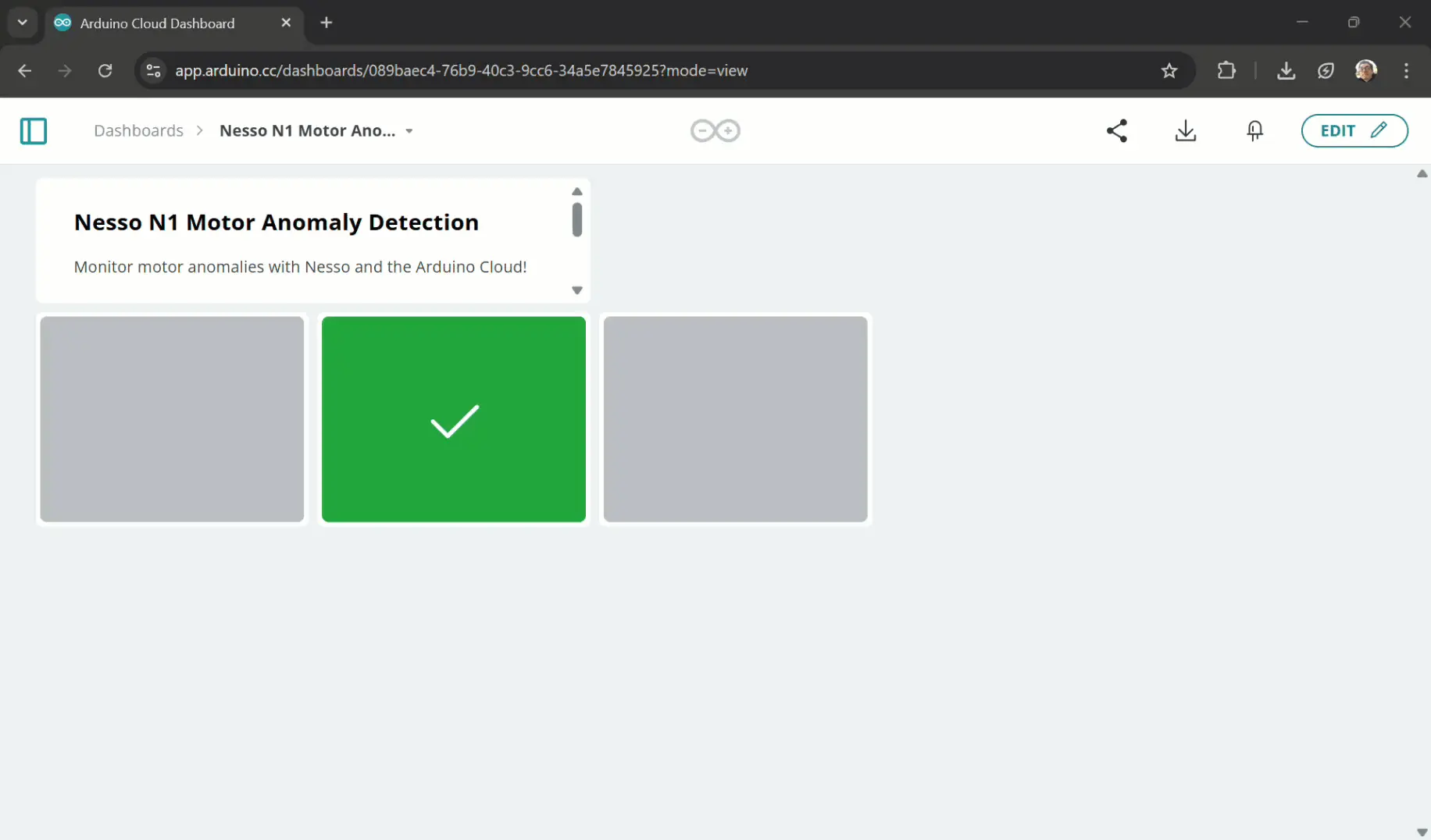
See intermediate Motor Anomaly Detection with the Nesso N1.
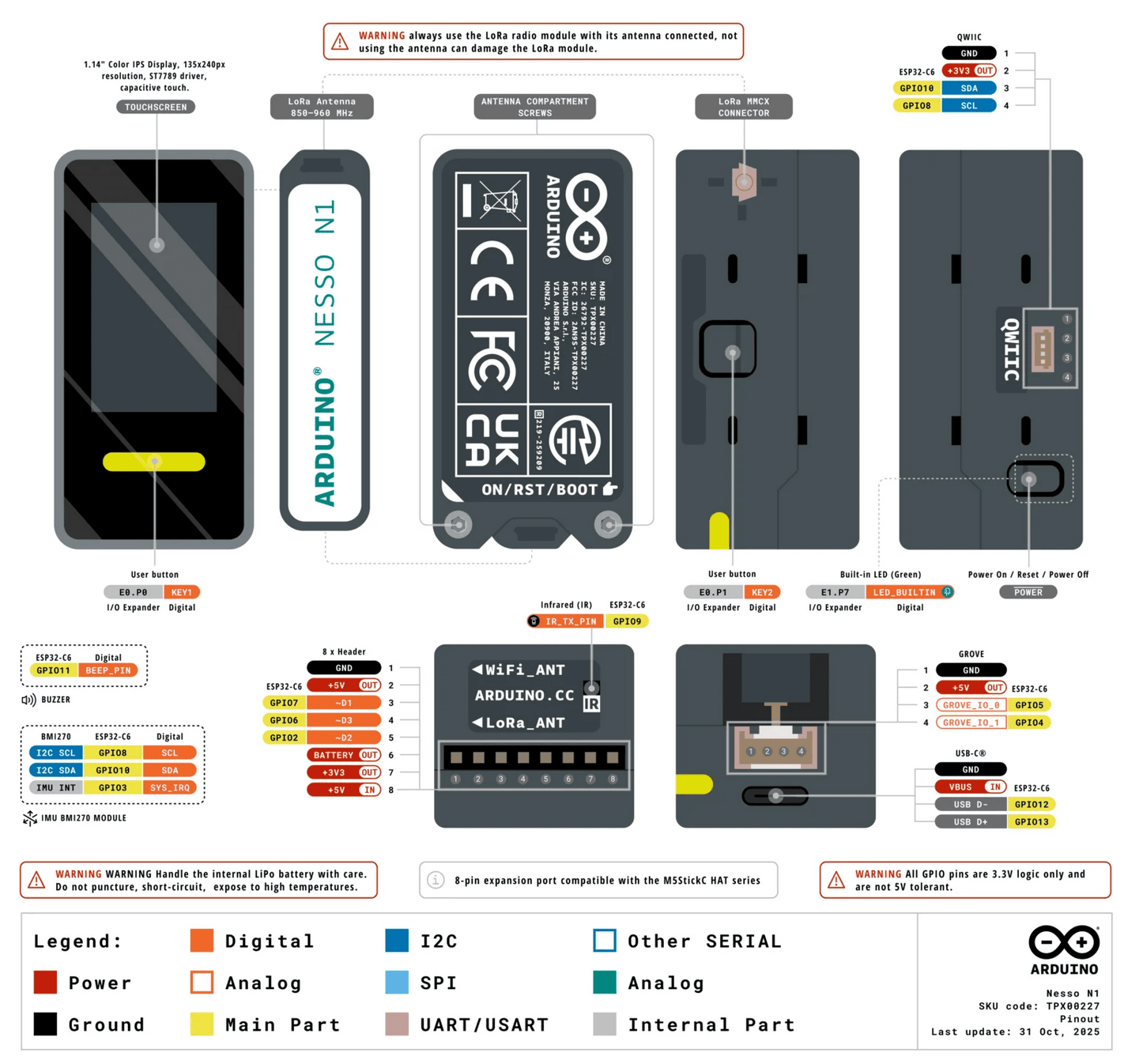
Nesso N1 Technical Specifications
Below is the technical specification table based on the Arduino Nesso N1 datasheet and product documentation:
| Category | Specification |
|---|---|
| Microcontroller | Espressif ESP32-C6 (32-bit RISC-V single-core @ up to 160 MHz, with low-power co-processor) |
| Memory | 16 MB NOR Flash, 512 KB SRAM |
| Connectivity | Wi-Fi® 6 (802.11ax, 2.4 GHz), Bluetooth® 5.3 LE, 802.15.4 (Thread 1.4, Zigbee 3.0, Matter), LoRa® (SX1262 transceiver, 850–960 MHz with rotatable/detachable antenna) |
| Display | 1.14-inch capacitive IPS touchscreen (135 x 240 pixels, ST7789V2 driver) |
| Sensors & Peripherals | 6-axis IMU (BMI270 accelerometer + gyroscope), IR transmitter, passive buzzer, RGB LED, built-in microphone |
| User Inputs | 2x programmable buttons, 1x power/RESET/BOOT button |
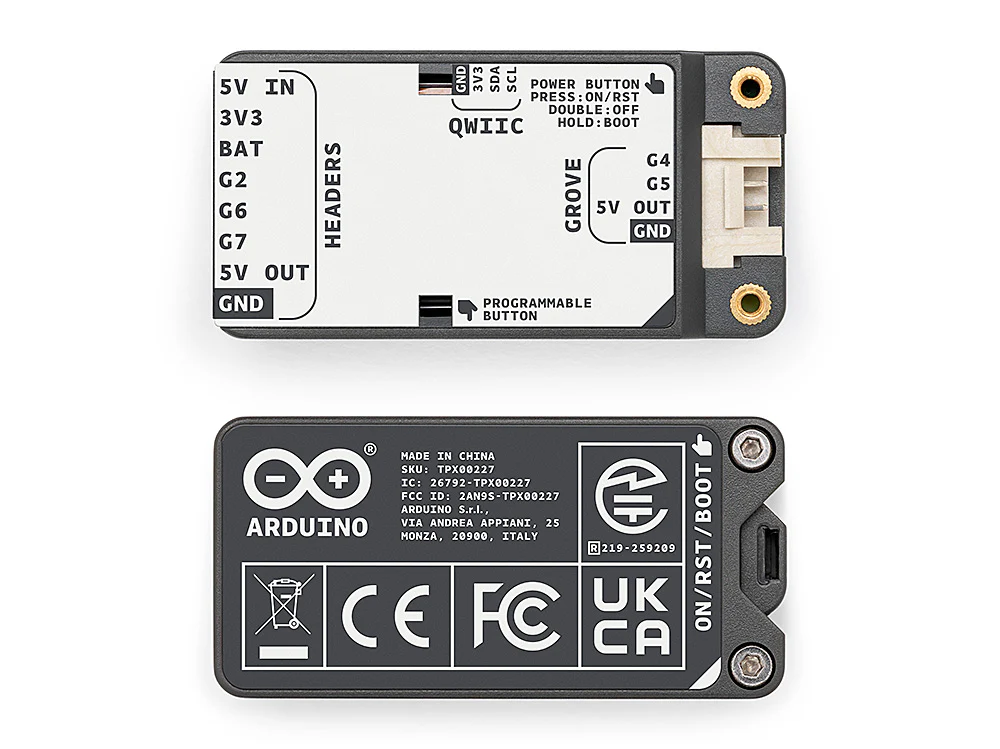
| Expansion Interfaces | Grove connector, Qwiic (I2C) connector, 8-pin GPIO/HAT-compatible header |
| Power | Built-in 250 mAh rechargeable LiPo battery, USB-C (5V) for charging and programming, intelligent power management |
| Dimensions | Approximately 48 × 24 × 14 mm (enclosure, without antenna) |
| Weight | Approximately 0.04 kg |
| Certifications | CE, FCC, IC, UKCA, RoHS, REACH, WEEE |
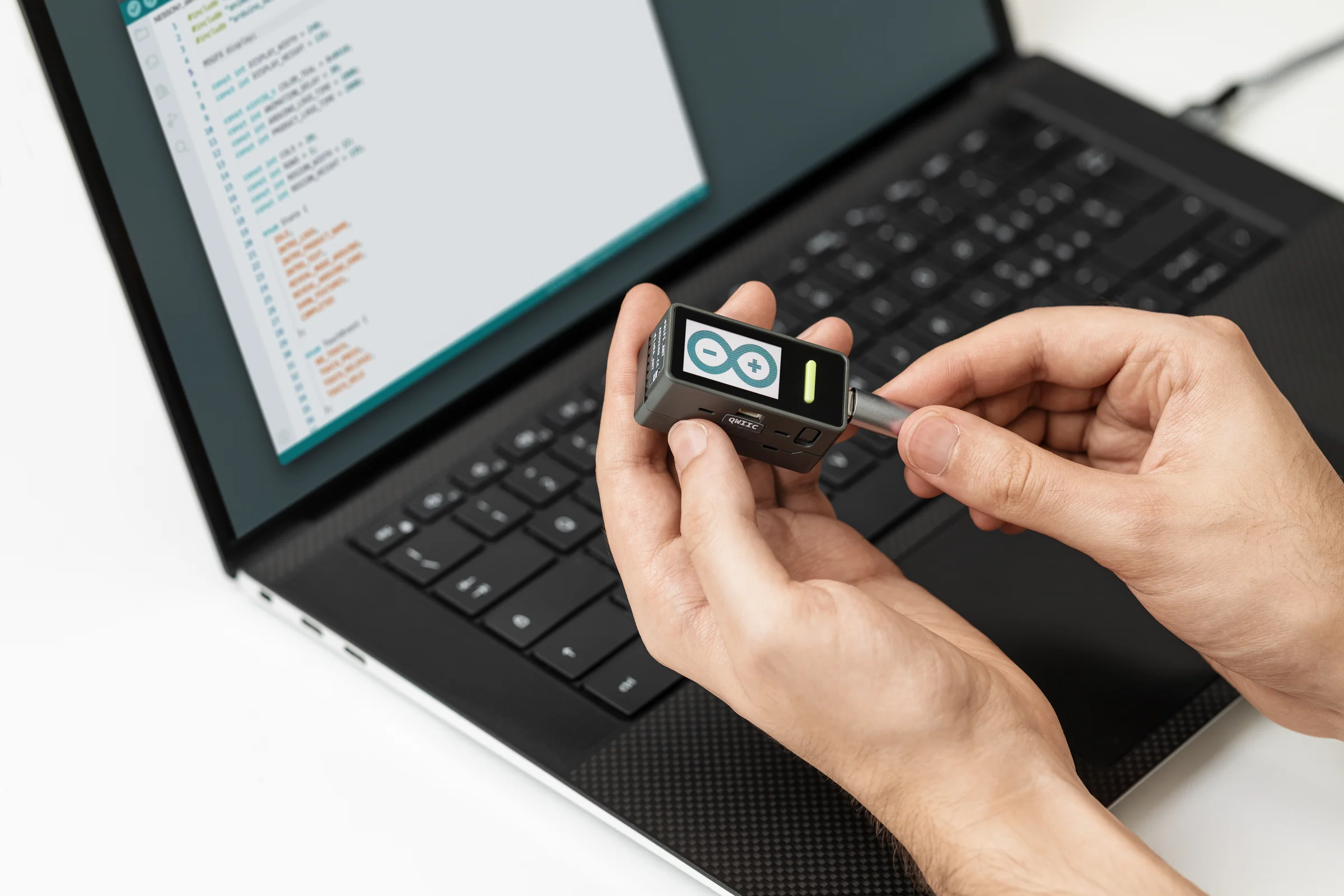
For those looking to dive deeper into the technicalities, you can view the ESP32-C6 schematic for Nesso N1 picture to visualize the board’s internal architecture.
Accessories and Software Ecosystem
the Arduino Nesso N1 is super flexible when it comes to adding stuff and coding it—perfect whether you’re just starting out or you’re a pro tinkering with IoT projects.
- Straight Out of the Box Ready: It shows up fully put together in a tough little case, with the battery, touchscreen, sensors, and everything else built-in. No need to buy extra bits or solder anything—you can jump right into making cool stuff!
- Easy Ways to Expand It: Growing your project is a breeze with no soldering required:
-
- Grove and Qwiic connectors let you plug in tons of sensors, motors, relays, or screens from places like Seeed, SparkFun, or Adafruit—just snap ’em on!
- There’s an 8-pin header that works with M5Stack’s HAT modules, so you can quickly add things like servos, env sensors, or even thermal cams.
- It plays nice with Arduino’s Modulino nodes too—those hot-swappable modular bits for evolving your setup on the fly.
🔗 New from Arduino: Modulino Knob for tactile input in IoT and robotics. - Coding Options Galore: Whatever your vibe, there’s a way to program it that fits:
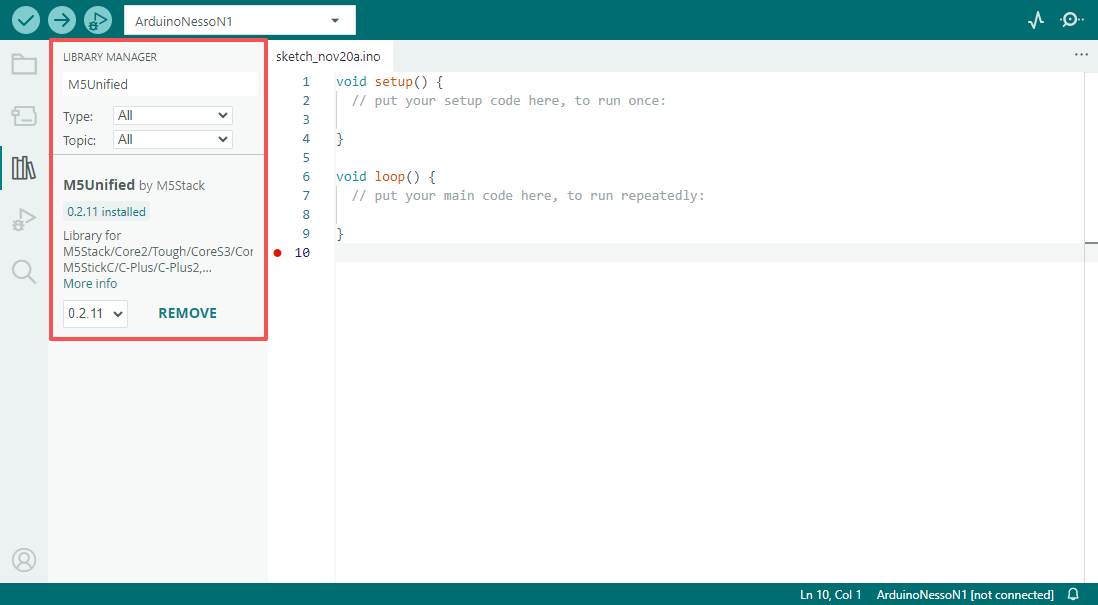
- Arduino IDE: Feels like home for most makers, with full C++ support and a huge library collection for serious projects.

- Arduino IDE: Feels like home for most makers, with full C++ support and a huge library collection for serious projects.
- MicroPython: Great if you love Python—quick and easy for scripting and testing ideas.
- UIFlow: This block-based visual tool from M5Stack is awesome for newbies (makes tricky IoT stuff simple) and speeds things up for pros too—full rollout coming early 2026.
- Arduino Cloud Hook-Up: Super easy to add over-the-air updates, remote dashboards, live data logging, and analytics—no messing with servers needed.

-
Important Considerations and Launch Insights about Nesso N1
Hey, the Arduino Nesso N1 is seriously capable for its tiny size, but here are a few friendly heads-ups to keep things running smoothly:
- Battery Stuff: It’s got a small 250 mAh LiPo inside with built-in protection, which is great, but make sure your code uses sleep modes wisely if you’re going for long battery life. It’s perfect for occasional sensing projects rather than stuff running non-stop. Also, plug it into a decent USB port when programming—weak ones can cause glitches.
- LoRa Rules: That long-range LoRa radio is awesome, but remember to set it to your region’s legal frequency (like 868 MHz in Europe or 915 MHz in the US) so you stay compliant and avoid any signal issues.
📖 Discover more: offline project with ESP-NOW and LoRa - It Can Get Warm: When you’re pushing it hard with Wi-Fi or LoRa for a while, the little guy might heat up a bit—totally normal in such a compact case. Just give it some breathing room if it’s in an enclosed spot.
- What It’s Best At: This board is all about efficient IoT magic, not super-heavy computing. The ESP32-C6 is optimized for low power and killer connectivity rather than raw speed.
- Handle with Care: The detachable LoRa antenna is super handy for tweaking range, but be gentle with it so it doesn’t snap off.
- Who It’s For: Super beginner-friendly thanks to the no-fuss setup and different programming options, but knowing the basics of Arduino will make your life way easier. Great bang for your buck as a complete ready-to-go kit!
Conclusion
So, the Arduino Nesso N1 is honestly a game-changer in the world of compact IoT gear—it’s this clever little mash-up of Arduino’s super-easy software vibe and M5Stack’s slick hardware smarts, all packed into something you can literally hold in one hand.
This ready-to-go, battery-powered beauty brings together killer multi-protocol wireless (Wi-Fi 6, Bluetooth, Thread, Zigbee, Matter, even LoRa), a crisp touchscreen, handy built-in sensors, and tons of expansion options without ever feeling overwhelming. Whether you’re whipping up a smart home hub, tossing together an industrial sensor node, hacking on a remote environmental monitor, or just teaching the next generation how cool connected stuff can be, the Nesso N1 makes it all feel fun.
It really is like a Swiss Army knife for modern IoT—perfect for hobbyists who want quick wins, educators looking for no-fuss demos, or pros needing a reliable edge device. If you’re into building the next wave of smart, connected things, this little guy puts serious power right in your palm without the usual headaches. Pretty cool, right?
🛒 Explore what’s next. Visit the Siqma store to discover elite components and exclusive drops before they’re gone.
User Experience & Common Queries
-
What is Arduino Nesso N1?
Arduino Nesso N1 is a compact all in one IoT development kit powered by ESP32 C6 with a built in touchscreen and battery.
-
Does Arduino Nesso N1 have a touchscreen?
Yes, it includes a built in color touchscreen ready to use out of the box.
-
Is Arduino Nesso N1 battery powered?
Yes, it has a built in 250 mAh LiPo battery and USB-C charging for portable and standalone projects.
-
Can Arduino Nesso N1 replace Arduino Uno?
No, it is not a direct replacement; it targets IoT and wireless applications rather than general purpose learning.
-
How to program the Arduino Nesso N1?
Supports Arduino IDE, MicroPython, UIFlow (from M5Stack), and seamless integration with Arduino Cloud for IoT dashboards and remote control.
-
How to install Nesso N1 board in Arduino IDE?
You need to add the ESP32 board URL to “Additional Boards Manager” in settings, then search for and install the esp32 platform by Espressif. Select ESP32S3 Dev Module if “Nesso N1” isn’t explicitly listed. If the port still doesn’t appear, you may need to enter Download Mode by holding the reset button until the internal blue LED flashes.
-
Does Nesso work with the Arduino Cloud Editor?
Currently, No (as of Jan 2026). While it supports Arduino Cloud IoT features for data monitoring, the Cloud Editor cannot compile or upload code to it yet. You must use Desktop version of the Arduino IDE. Users are waiting for official ETA from Arduino team.
-
How do I enable battery charging via USB?
You must include the Arduino_Nesso_N1 library and call enableCharge() in your setup() function. Without this code, the battery may stay dead even if plugged into USB-C.
-
Nesso N1 screen is black/unresponsive, is the board dead?
Not necessarily. But this is often a software issue where the sketch “soft-bricks” the USB port. Double-clicking the power button or entering Bootloader mode usually recovers the board. Also, ensure the battery isn’t critically low.
-
Can we use Arduino Nesso for Meshtastic or LoRaWAN?
well Yes. There are active discussions and PRs (Pull Requests) on GitHub to add Nesso N1 support for Meshtastic. Its integrated SX1262 chip makes it a very good, compact device for off-grid messaging.
-
Why don’t buttons, battery charging, or LEDs work properly on Arduino Nesso?
Conflicts with graphics libraries (e.g., M5GFX or TFT_eSPI). Use compatible libraries or initialize peripherals carefully in setup().
-
Why do connected sensors (e.g., Modulino Thermo or ENV-III HAT) show wrong values?
Often I2C bus issues—call Wire.begin() explicitly, check pull-ups, or avoid address conflicts with onboard sensors.
-
Is the touchscreen of Nesso N1 capacitive or resistive?
It features a capacitive touchscreen, allowing multi touch gestures and better durability than resistive panels.
-
Is power management on Arduino Nesso automatic or manual?
Power management is mostly automatic, with firmware level control available for sleep modes and peripheral shutdown.
-
Is it better than Arduino Uno R4 WiFi for IoT?
For modern IoT projects requiring wireless protocols and UI, Nesso N1 is more capable, while Uno R4 WiFi is better for traditional Arduino workflows.